Securing everyday IoT devices 2026 guide starts with a simple reality.
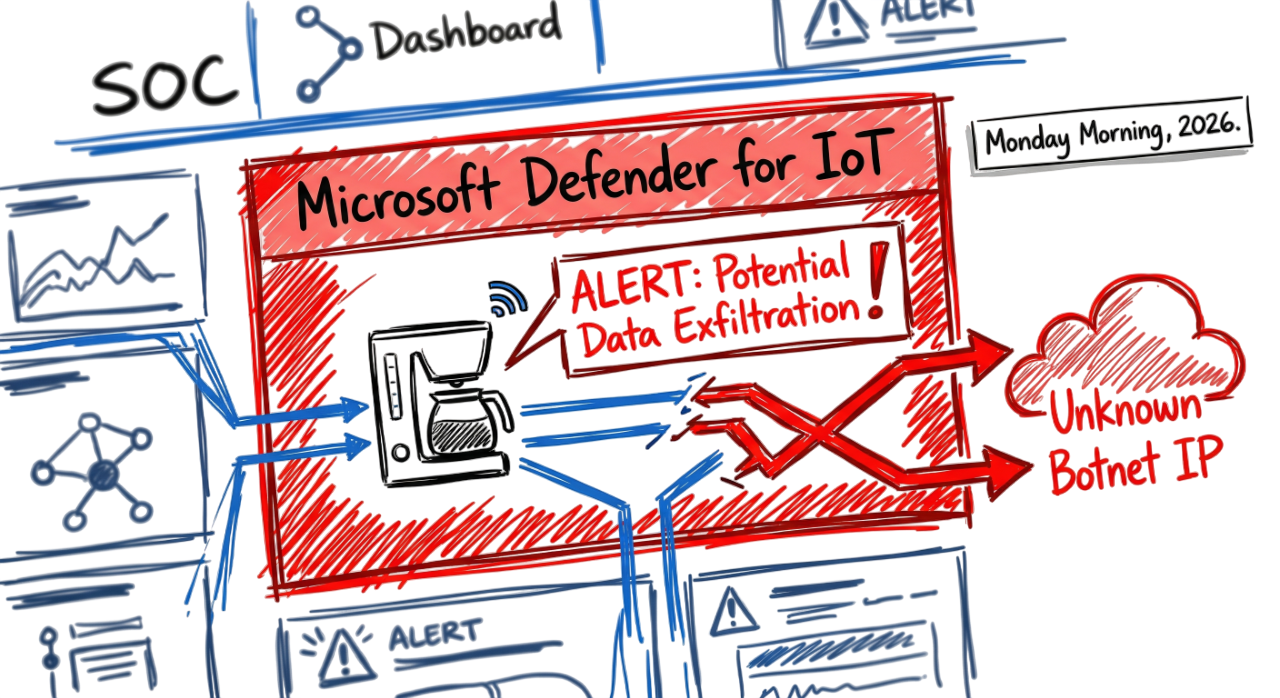
Suppose your Microsoft Defender for IoT dashboard goes red while you are seated in the SOC.
A “Potential Data Exfiltration” alert points to a smart coffee machine in the executive lounge.
Logs show it is making 500 outbound connections to an unknown IP every ten minutes.
This is not a drill. Your coffee maker is now part of a botnet on a Monday morning in 2026.
Most people think IoT devices are harmless.
In reality, they are small computers with weak security.
Every lightbulb, camera, or smart appliance can become an entry point.
This securing everyday IoT devices 2026 guide will help you identify risks and protect your smart environment effectively.
The Reality of the Top 10 IoT Devices Used in Daily Life
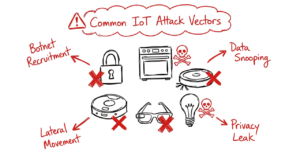
By 2026, these ten devices will be standard in most homes and offices. They are incredibly convenient,but from a security standpoint, they also give hackers more ways to get into your network.
- Smart locks: These use the Matter protocol to let you unlock your doors directly from your phone.
- AI ovens: Machines like the Tovala Pro scan barcodes to automatically download and follow cooking instructions.
- Wearable biosensors: Your watch can now track your heart rate and blood oxygen levels in real time.
- Smart energy meters: These devices send the utility company a minutely report on how much electricity you use.
- Agentic robot vacuums: The most recent kinds of agentic robot vacuums employ computer vision to move independently around rooms and furniture.
- Smart glasses: E-ink technology allows you to see notifications directly on your lenses.
- Smart refrigerators: They monitor your food supply and alert you when it’s going to go bad.
- Smart coffee machines: They read RFID tags on bean packs to set the perfect grind and temperature for you.
- Smart lighting: These systems change their color to match your sleep patterns throughout the day.
- Smart plugs: You can monitor how much energy you are using and cut the power remotely using an app.
Understanding IoT Architecture: Securing Everyday IoT Devices 2026 Guide for Better Security
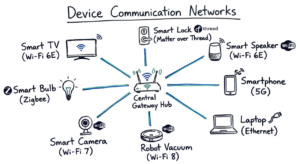
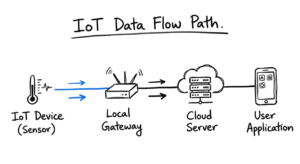
An IoT gadget travels in a straightforward manner. It observes its surroundings, transmits that information, and then waits for an order. Your phone is not the only device that receives the info. It usually hits a local gateway first. This gateway uses protocols like Thread or Wi-Fi 8 to talk to the device. From there, the data goes to a cloud server where the heavy processing happens.
The Four Layer Model
Although it doesn’t operate thus smoothly in real-world settings, most systems adhere to this flow:
- Perception Layer: Raw data is gathered by sensors such as cameras and thermometers.
- Connectivity Layer: This is the 5G or Matter over Thread network.
- Edge Processing: Local gateways filter data to save bandwidth.
- Application Layer: The cloud analyzes data and sends a command back.

How to Secure a New Device on Your Network: Securing Everyday IoT Devices 2026 Guide Steps
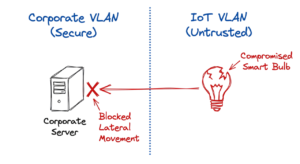
Take these actions while configuring a new gadgets at home or at work:
- Construct an IoT VLAN that is separate from your primary data network.
- Before you connect to the internet, change the default administrator password as soon as you can.
- Provide the device an IP address that is static so you can monitor its behavior in your logs.
- Create firewall rules to prevent the device from communicating with any other devices on your network,
- For a few days, keep an eye on the outgoing traffic to observe which external IPs it attempts to reach.
Practical Implementation and Real World Lessons
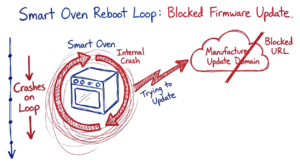
I previously looked at a situation where a test kitchen’s smart oven kept restarting. When we looked into the Zscaler logs, we saw that it was attempting to download a firmware upgrade from a URL that our security policy had forbidden. The oven just continued attempting and crashed since it lacked a timeout feature. For that manufacturer domain, we had to develop a unique bypass rule.
This is where most people get confused. They think a strong Wi-Fi password is enough. It is not. The biggest mistake is leaving default credentials active or allowing devices to talk to each other. A smart bulb has no reason to talk to a smart lock. You should block lateral movement at the firewall level.
Best Practices for Engineers
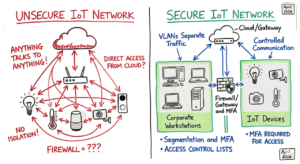
- Segment your network: Use a separate SSID for all IoT.
- Use MFA: Always enable multi factor authentication on device accounts.
- Monitor Logs: Keep an eye out for devices communicating with other nations on your SIEM.
- Disable UPnP: Turn off UPnP on your router as it provides an open door for hackers.
Troubleshooting and Future Trends
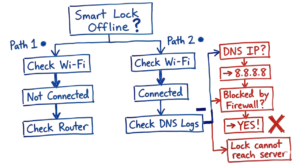
Let’s say a smart lock is linked to Wi-Fi but seems to be “offline” in your app. Check your DNS logs first. These devices frequently hardcode 8.8.8.8 as their DNS. The gadget won’t be able to locate its home server if your firewall prevents external DNS. Check the 2.4GHz band next. 2.4GHz is still the only frequency supported by many IoT devices. The lock may terminate the connection if your network forces devices to switch to 5GHz.
Now here’s where it gets interesting. We are seeing a move toward “Physical AI.” This means the device makes decisions locally. We also see “Agentic IoT” where your fridge talks to your oven to coordinate a meal. When one device upgrades and the other does not, these integrations frequently fail.
Interview Preparation
- How does the Matter protocol improve local security?
- What is the risk of an IoT device having a hardcoded DNS server?
- How would you detect an IoT device that has been compromised by a botnet?
- Explain the difference between Thread and Zigbee in a mesh network.
- Why should you disable lateral communication between IoT devices on a VLAN?
FAQ
Can I put an IoT device on my corporate Wi-Fi? No. Always use a separate, restricted network to keep your main data safe.
Do smart plugs really save money? Yes, but only if you use their energy monitoring to find power hungry appliances.
Is Matter more secure than older standards? Yes. It requires encryption and local control, which reduces the need for cloud commands.
What happens if my internet goes out? Matter devices will still work locally. Older cloud dependent devices will stop responding.
How do I find hidden IoT devices? Use a network scanner or check your DHCP logs for unknown MAC addresses.
Conclusion
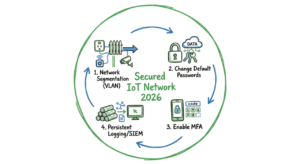
IoT in 2026 is everywhere. It is no longer a niche hobby for tech fans. For a security engineer, these devices are a large attack surface that grows every day. Stay focused on network segmentation and credential management. If you secure the network, you secure the device. I once found a personal insight while troubleshooting a smart thermostat. After searching for a hardware issue for three hours, I discovered that the weather API was being blocked by a DNS filter. The easiest obstacle is sometimes the one you ignore. To keep such networks clean, start with our guide on safeguarding common IoT devices in 2026.
You can also read our detailed guide on IoT security basics to understand core protection concepts. IOT Security
Understanding network security is essential when isolating IoT devices in your environment. TechNaga