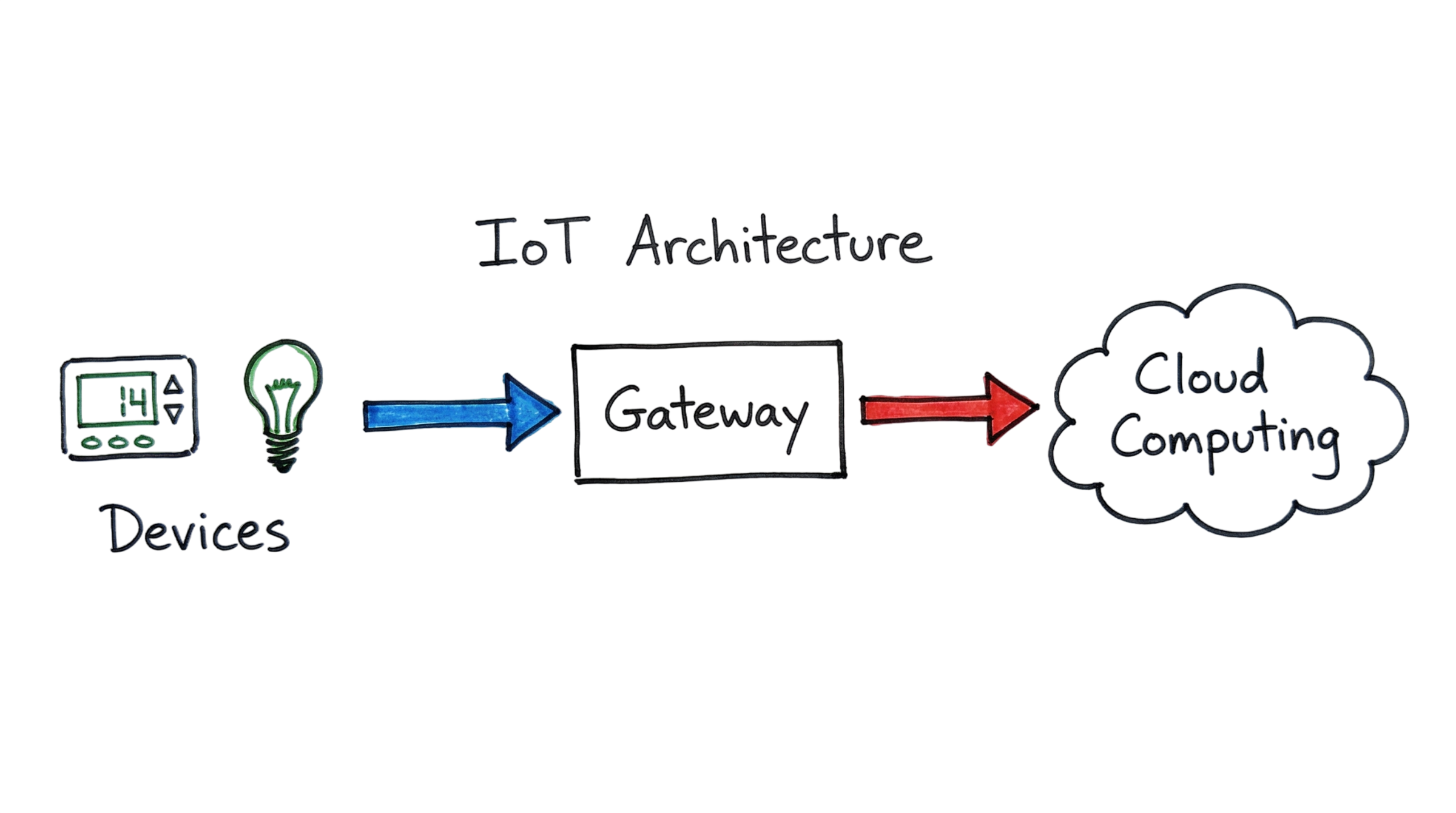
Ever thought about how an intelligent thermostat can sense that you are not around and turns off your heating system? It doesn’t happen by magic. It occurs due to a well-coordinated dance of hardware and software. According to the projections, there will be over 40 billion devices connected globally by 2033. The incredible increase demands basic knowledge of IoT architecture for you. Herein, you will get insights into the functioning of the three layers in transferring data from the physical world to your screen.
What Is IoT Architecture Basics?
On a basic level, IoT architecture refers to the way a device receives and processes the data it obtains. It is the design that outlines the interaction between the devices involved. Think of it as an exchange of information process. Sensors gather the environmental information. Gateway is the center where the signals get through. Cloud acts as a decision-making server. Without proper architecture, the smart device will only be plastic that fails to communicate.
How Does IoT Architecture Basics Work?
Building an IoT system involves a specific flow of information. Most experts use a model with several steps to ensure data stays accurate and secure. This multi-tiered framework allows for massive scalability.
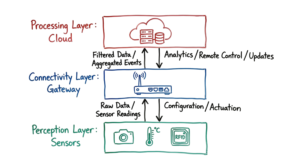
The Perception Layer: Sensing and Actuation
The journey starts at the perception layer with sensor nodes. These tiny components detect physical changes like temperature, moisture, or motion.
- Sensors: Sensors gather the original data. The step counter in a smartwatch, for example, uses an accelerometer to measure the force involved.
- Actuators: Actuators take some kind of action depending on the data. If the moisture sensor senses a dry garden, then the actuator turns on the water.
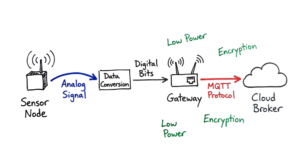
- Data Conversion: Typically, sensors give an analog signal. But computers need to understand the binary language of bits.
The Connectivity Layer: Gateways and Networks
There should be a medium through which the data can travel. The connectivity layer and IoT protocols are required for that purpose. Data transfer occurs through wireless standards such as Wi-Fi, Bluetooth, or Zigbee. It is the point at which most individuals become perplexed. In most cases, the devices do not communicate with the internet because they consume less power. There exists a mediator between both mediums known as the gateway. The gateway gathers data from several sources and sends it to the internet through the MQTT protocol.
However, this was not the case in the real world. One of our clients used Palo Alto NGFWs along with Zscaler ZIA, but the setup that was configured for them sent DNS queries out of the split-tunnel, causing issues because the gateway couldn’t access the MQTT broker. It took us an entire day to figure out what was wrong with the devices that appeared to be “dead.”
The Processing Layer: Cloud and Edge Computing
Now here’s where it gets interesting. The cloud is where the heavy lifting happens. Powerful servers store the data and use algorithms to find patterns. I once handled a case where a fleet of sensors failed because the cloud ingest service couldn’t handle the data volume after an update. We had to implement better throttling at the gateway level.
- Cloud Computing: Central servers compute years of data to detect any long-term trend.
- Edge Computing: In some cases, the data requires a fast verification before being transferred. It takes place in a local system called a gateway. For instance, in case of an autonomous vehicle, “stop” information needs to be computed locally.
The Application Layer: User Interfaces
Finally, the data reaches you. The application layer turns complex numbers into something you can understand. This might be a notification on your phone or a chart on a professional dashboard. It allows you to control the devices remotely, completing the loop.
Real-World Example: Smart Industrial Pumps
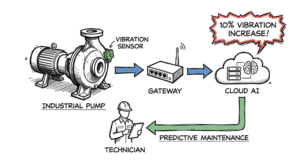
Take for example, the smart pump located within a manufacturing plant. This is an application of IoT within industry. The device contains sensors measuring the levels of vibration and temperature. Increased vibration could indicate potential mechanical failure.
The smart pump sends all of its measurements to the local gateway. The latter connects through cellular networks to send the data to a cloud service. The data is analyzed by the cloud to find the pattern. It becomes clear that there has been an increase in the level of vibration by 10% per week.
Predictive maintenance allows avoiding the failure of the device and preventing downtime at the factory. Instead, maintenance services are notified to come and address the problem. The result is savings for the company.
Real-World Scenario: The 2023 Botnet Incident
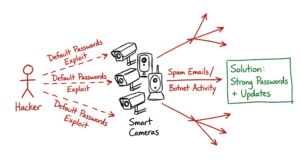
Security is a major part of IoT architecture basics. In 2023, variants of the Mirai botnet targeted over 300,000 devices. A botnet is a group of infected gadgets controlled by a hacker. These attackers looked for devices with weak passwords.
Imagine a security admin at a hospital. They notice the smart cameras are running very slowly. After a check, they find the cameras are actually sending spam emails. The hackers used the cameras’ network connection to launch a massive attack. This shows why every layer of the architecture needs protection. Using strong passwords and regular updates can stop these devices from causing chaos.
Common Risks and Challenges
- Default Passwords Weakness: Devices usually come from the factory with default passwords such as “12345.”
- Unencrypted Data: In case there is no encryption, anyone will be able to intercept unencrypted data as it moves through the air.
- Physical Threat: In contrast to servers that have security systems installed at the entrance, most IoT devices are physically accessible by anyone.
- Firmware Not Updated: People seldom remember to update firmware of their smart home gadgets. They leave outdated vulnerabilities for years.
- Battery Drain Issue: Smart sensors usually work on battery power. In case of inefficient software design, the gadget drains battery quickly.
- Language Differing Between Brands: Each vendor produces gadgets that work on its proprietary language. So, Google’s lightbulb cannot connect to Apple’s switch.
How to Secure and Improve Your IoT System
- Change Passwords Right Away: Avoid using the default password set by the manufacturer. Always use different passwords for all devices.
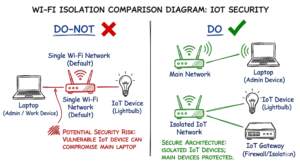
- Segregate Your Devices Through Networking: Place your connected devices in an isolated Wi-Fi network. This will keep them from your personal computer and phones.
- Encrypt Everything: Ensure use of security measures like TLS and HTTPS. It will ensure that only your authorized server is capable of decrypting the data.
- Firmware Updates Often: Search for firmware updates at least once a month. You can automate this procedure in case you have several devices.
- Implement the Principle of Least Privilege: Privileges should be assigned for required tasks. It does not make sense for your smart light bulb to read your emails.
- Install a Root of Trust: This is a small chip that makes sure that only verified software can be installed. It eliminates risks of any unauthorized software update.
Frequently Asked Questions (FAQs)
Q1: How does an actuator differ from a sensor? A: Sensors can detect changes in the real-world environment. Examples of such include changes in temperature or changes in light. Actuators perform a physical task in response. For instance, they may move a mechanical part or dim a light bulb.
Q2: Why do I need a gateway in my IoT setup? A: The sensors used in IoT networks often operate at low levels of power that make them incompatible with the internet. In this case, the role of the gateway is to provide translation.
Q3: Does my IoT network need the cloud? A: No, you don’t have to rely on the cloud. This would be referred to as a local or edge-only IoT solution. It is fast and private. However, it has limited capacity for storage.
Q4: Should I use MQTT or HTTP protocols for my IoT system? A: MQTT is preferred most of the time. The protocol uses a lot fewer resources and consumes less battery life. HTTP protocol, on the other hand, is ideal for web pages.
Q5: What is the greatest threat to IoT architecture? A: This problem is caused by poor lifecycle management. Devices continue to run in default configurations for many years.
Conclusion
Understanding the basics of IoT architecture is the key to creating and managing smart systems. You have now learned that sensors gather data, gateways interpret data, and the cloud makes it useful. Bear in mind that there are no one-time efforts in securing IoT. Security needs to be embedded at each level you create. As things get connected to the internet no matter what objects we possess, such knowledge will keep you ahead of the pack. Begin by securing your personal home network.
Reference:
If you want to read more, visit our IoT blogs